Check the installation prerequisites for Ubuntu Server 24.04 LTS and record the pre-change baseline right after the first login.
Baseline: a record of the target, time, and state collected so that the system can be compared before and after a change.
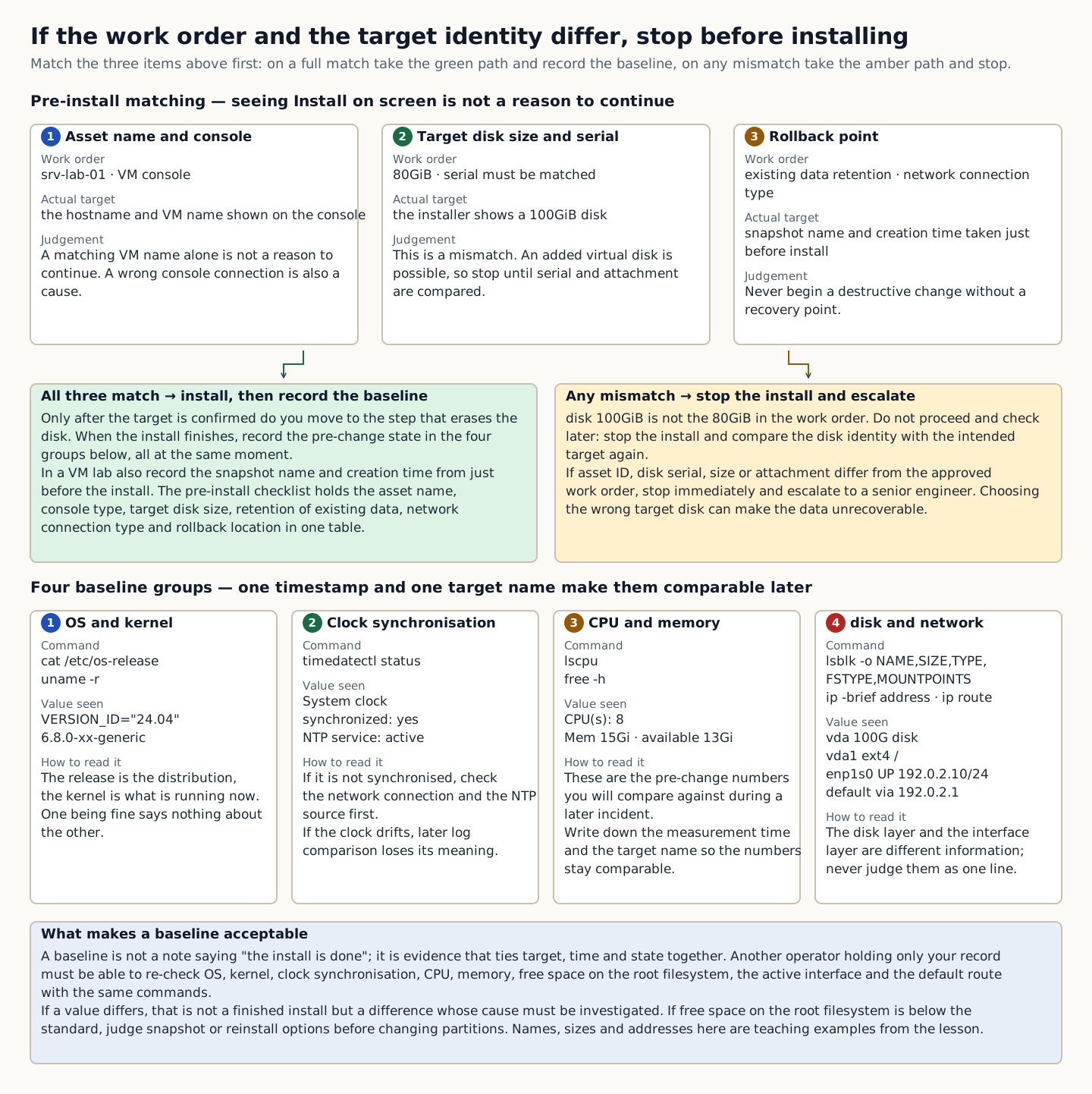
Installation is not a file copy; it is a change that decides which disk to erase and on what boot, network, and identity basis the server will start. Do not proceed just because Install is on the screen; first confirm whether the target is a lab VM or a physical server holding existing data, and whether a rollback is possible.
A baseline is not a note saying “installation is finished.” It is a bundle of evidence recording the OS release, kernel, clock, CPU, memory, disk, interfaces, and addresses at the same point in time, so that later faults or changes can be compared against it. What you observed comes before any conclusion that things are normal.
In the training example the disk checked just before installation was 100GiB while the work order specified 80GiB. Do not proceed merely because the VM name matches. An added virtual disk or a wrong console connection can also be the cause. Compare the serial and the device attachment, and stop the installation until the target is confirmed.
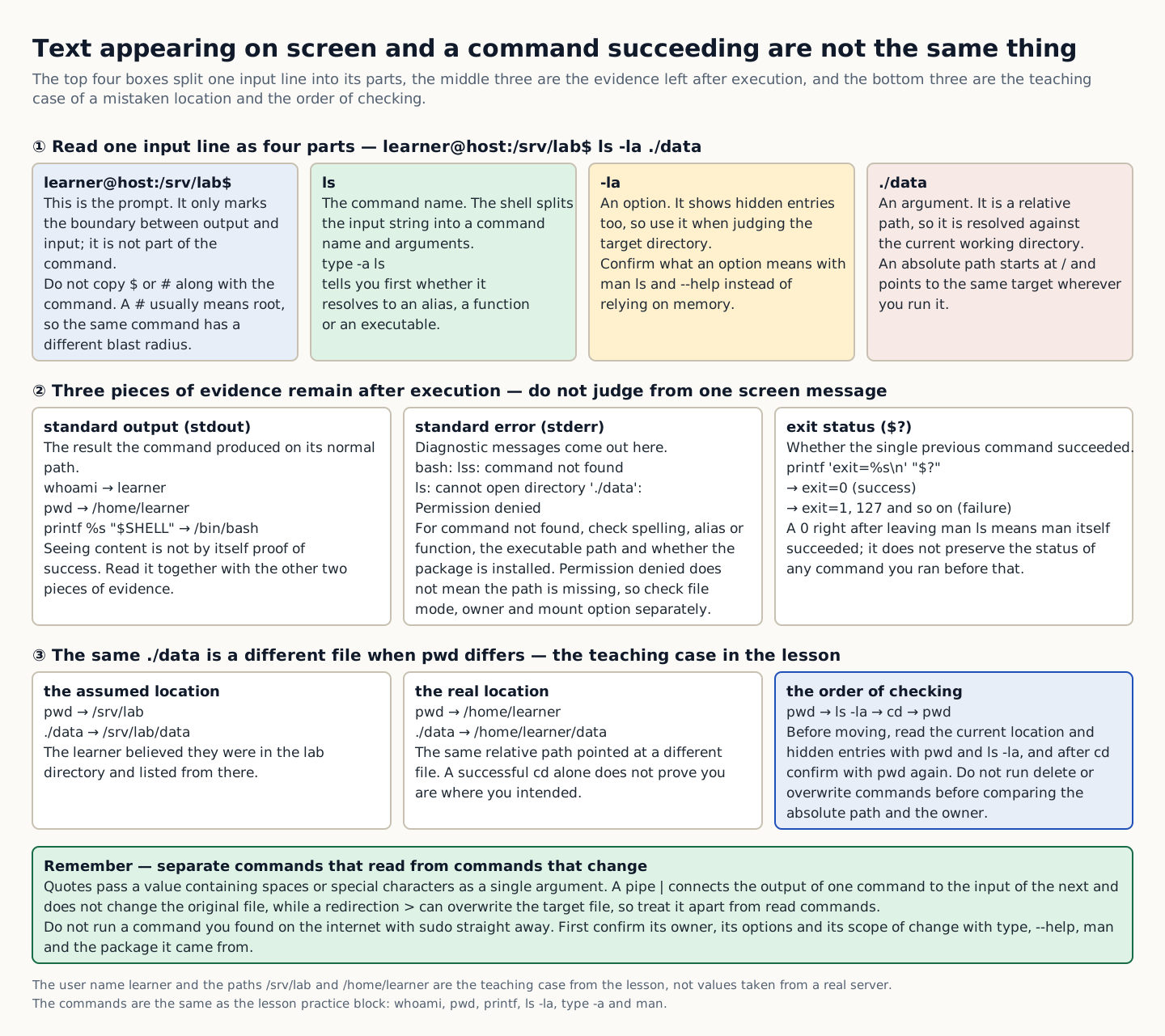
A baseline is built from the output of several commands. The OS release describes the distribution, the kernel is the core of the currently running operating system, and mount shows the filesystems in use. Even if one value is normal, check the others separately. Tie them together under the same timestamp and target name so that the next operator can compare them.
- Why does this happen?
- Only by recording the OS, devices, and addresses at a single point in time can you later tell which layer changed. Do not extend the success of a single command into a verdict that the entire server is healthy.
- When is it a problem?
- If the disk capacity differs from the work order, you may be looking at a different VM or an additional disk. Before proceeding on the installation screen, first compare the target identity.
- Common beginner misconceptions
- If you choose the wrong target disk on a physical server or an existing VM, the data may be unrecoverable. If the asset ID, disk serial, capacity, or attachment location differs from the work approval, stop immediately and escalate to a senior colleague.
- How to verify it yourself
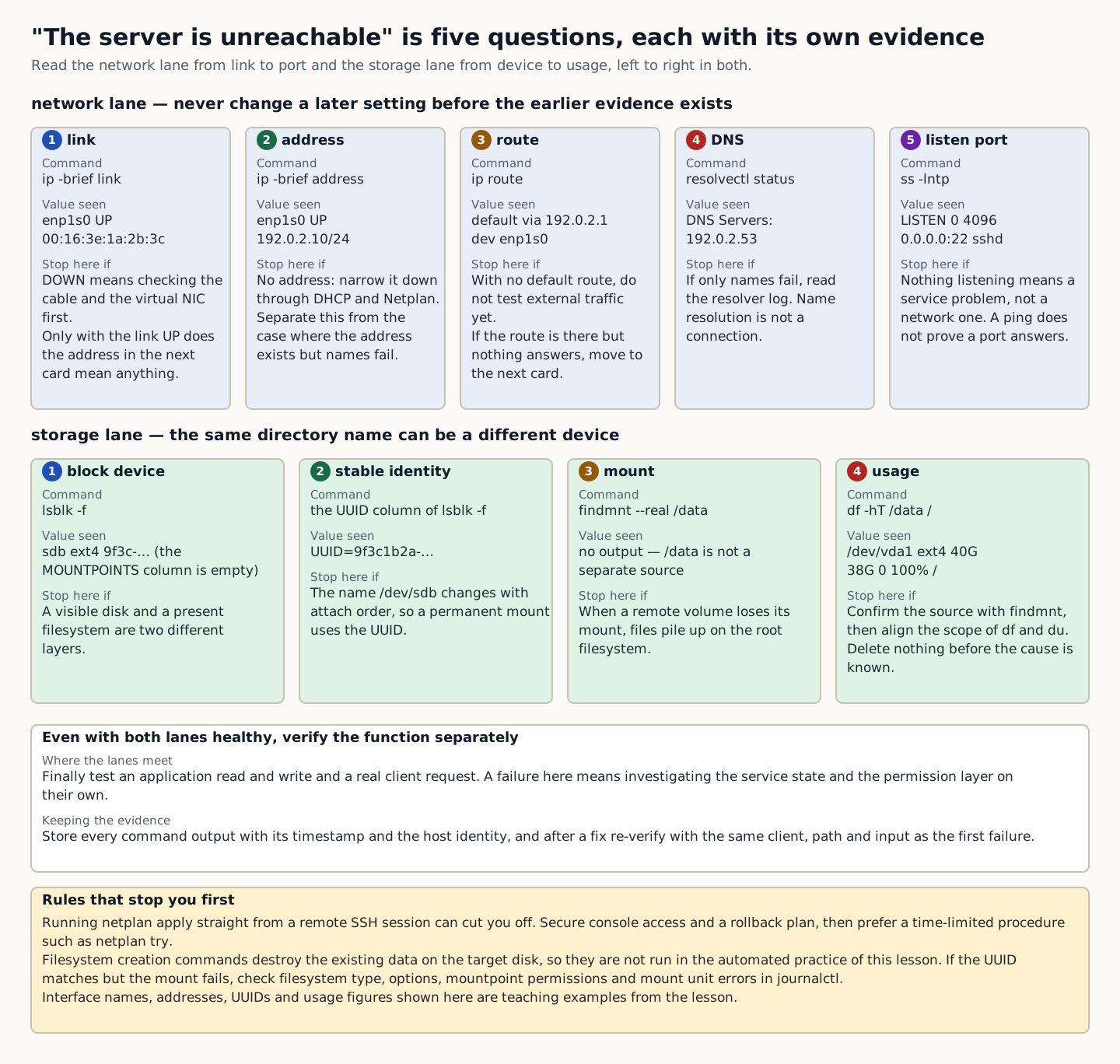
- Collect the results of the read-only commands below in one record, and compare the target and capacity in the work order with the actual disks, mounts, and routes. Record command failures as well.